Why will two connected USB Type C cables not provide power?
31 January 2026 at 4:35 pm
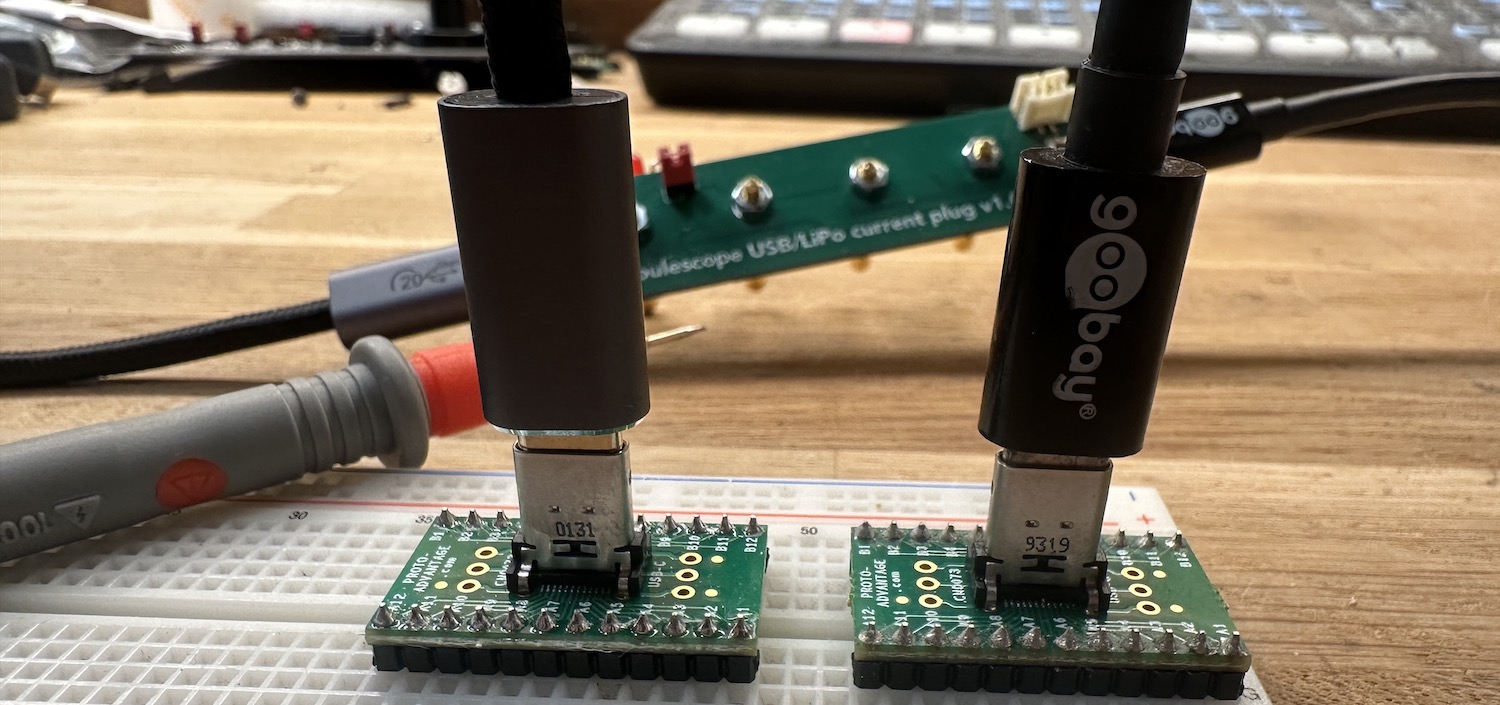
I just made a nifty little board for use with my Joulescope that will let me plug any USB dev board into it to precisely measure power. But it wasn't just as smooth as this? It only worked half the time? I was puzzled. Did I forget something?
The idea for this board was simple: without any setup in the form of wiring, you just plug a Type C cable on one end and another to the device you want to test. Now you can measure joules extremely precisely. I also added an option to power it from a LiPo battery instead. All the lines from one plug are extended to the other, but power is measured through the Joulescope. It's literally just a passthrough for Type C to Type C.
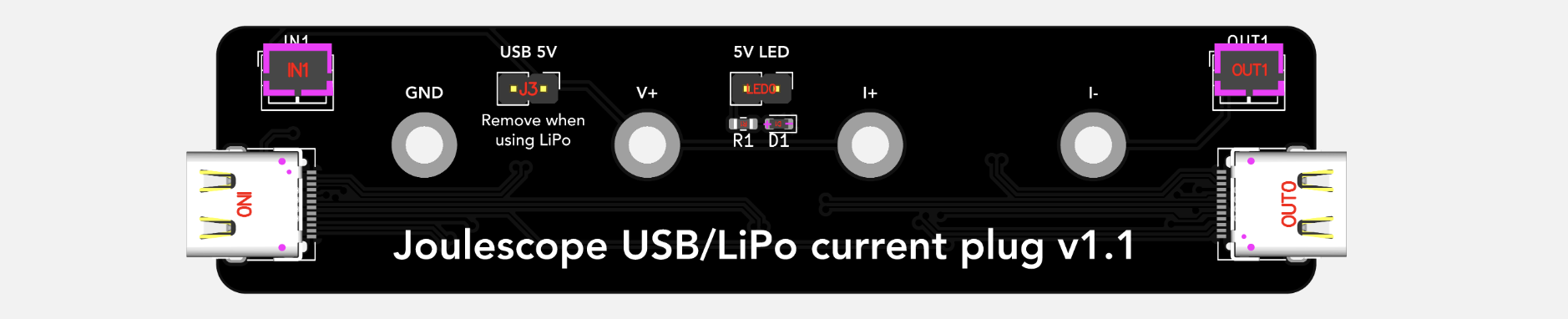
But why didn't it work all the time? I rotated the cable and suddenly it worked? One second…. I rotated it back and then rotated the cable at the other side of the measurement PCB and that also worked. So 2 of 4 possible rotations would provide power. I then tested from a USB power brick and with that, 4 out of 4 orientations of the cables would work. Why did it behave differently when connected to my Mac?
Could it be a soldering error? I hooked it up as in the picture above and measured pin by pin. All pins were connected as they should, but when I rotated the cable, the CC1 pin changed? It then struck me - all the pins in a Type C cable are not attached! How could I forget that? It's the CC1 signal that will let you figure out if a Type C cable is flipped - just like this:
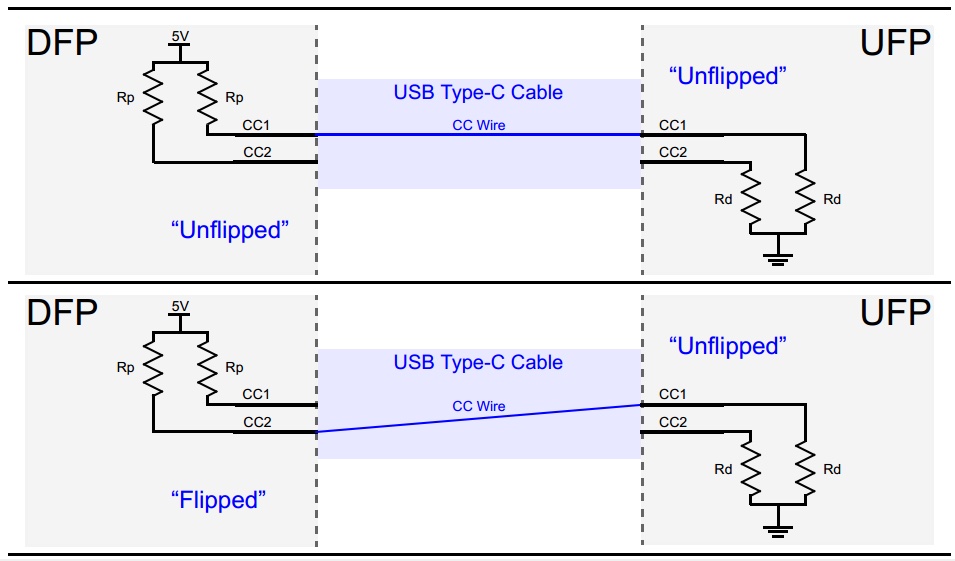
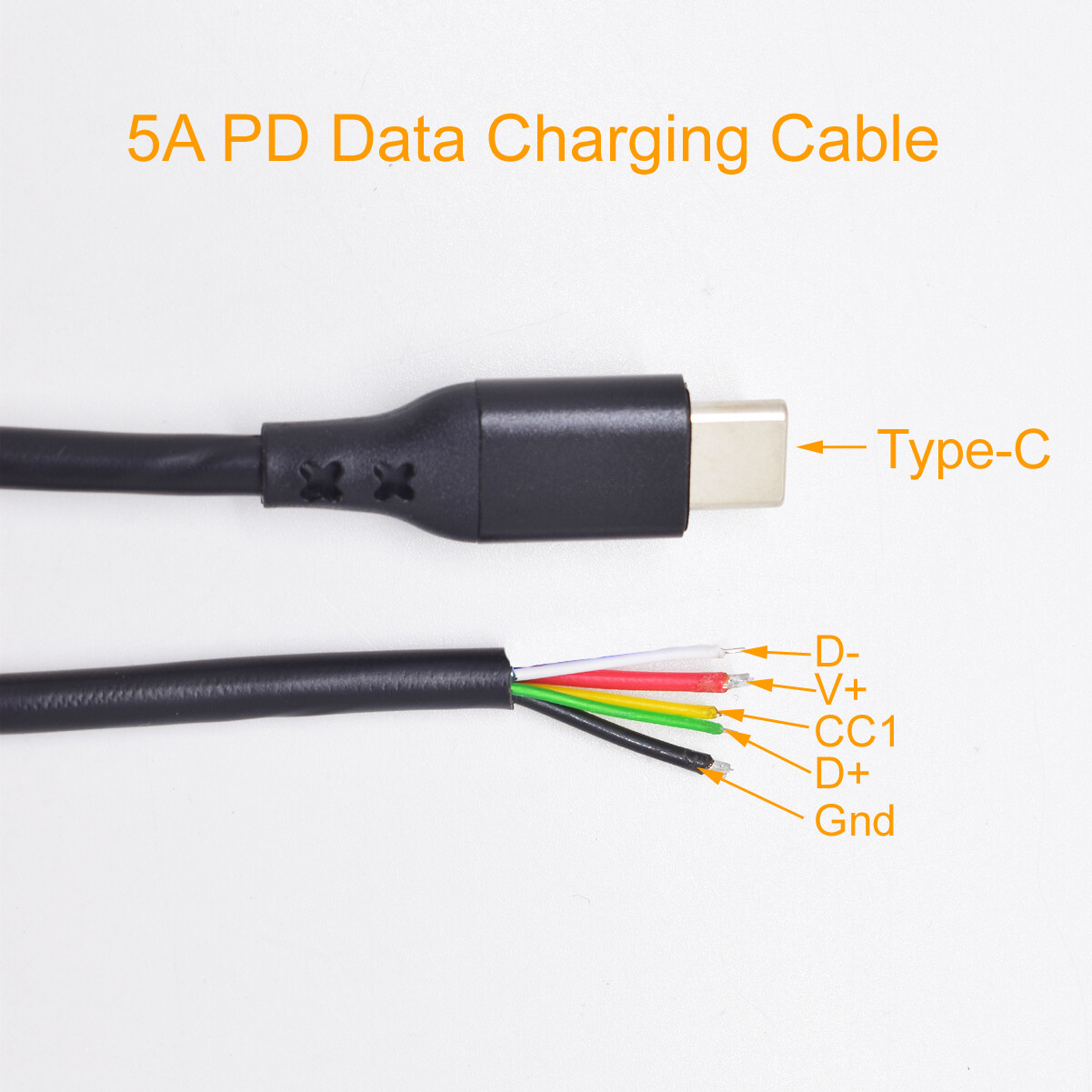
If CC1 connects to CC1 on the other device, the cable is straight. If it's on CC2, it's flipped. So to keep cables thinner, you only need to connect 5 wires on a Type C cable to get power delivery to work. You need GND, VCC (5-20V), D+, D- and one more cable - CC1. More expensive cables will add more wires as I wrote about in this post.
So my PCb is all good, but I will need a way to verify that I'm getting power through to the Device Under Test (DUT), so I've now ordered a new version that has an optional indicator LED that'll light up if the thing is powered. Makes it much easier to get the right orientation. For small things like this, I'm now using JLCPCB. The updated version should arrive - fully assembled - in a weeks time for the cost of less than $10 per board. If you need such a board, I'll have a few to spare that I'll put up for sale on Maketronics.
Here's what's inside a cheap Type C cable I found on Ebay:
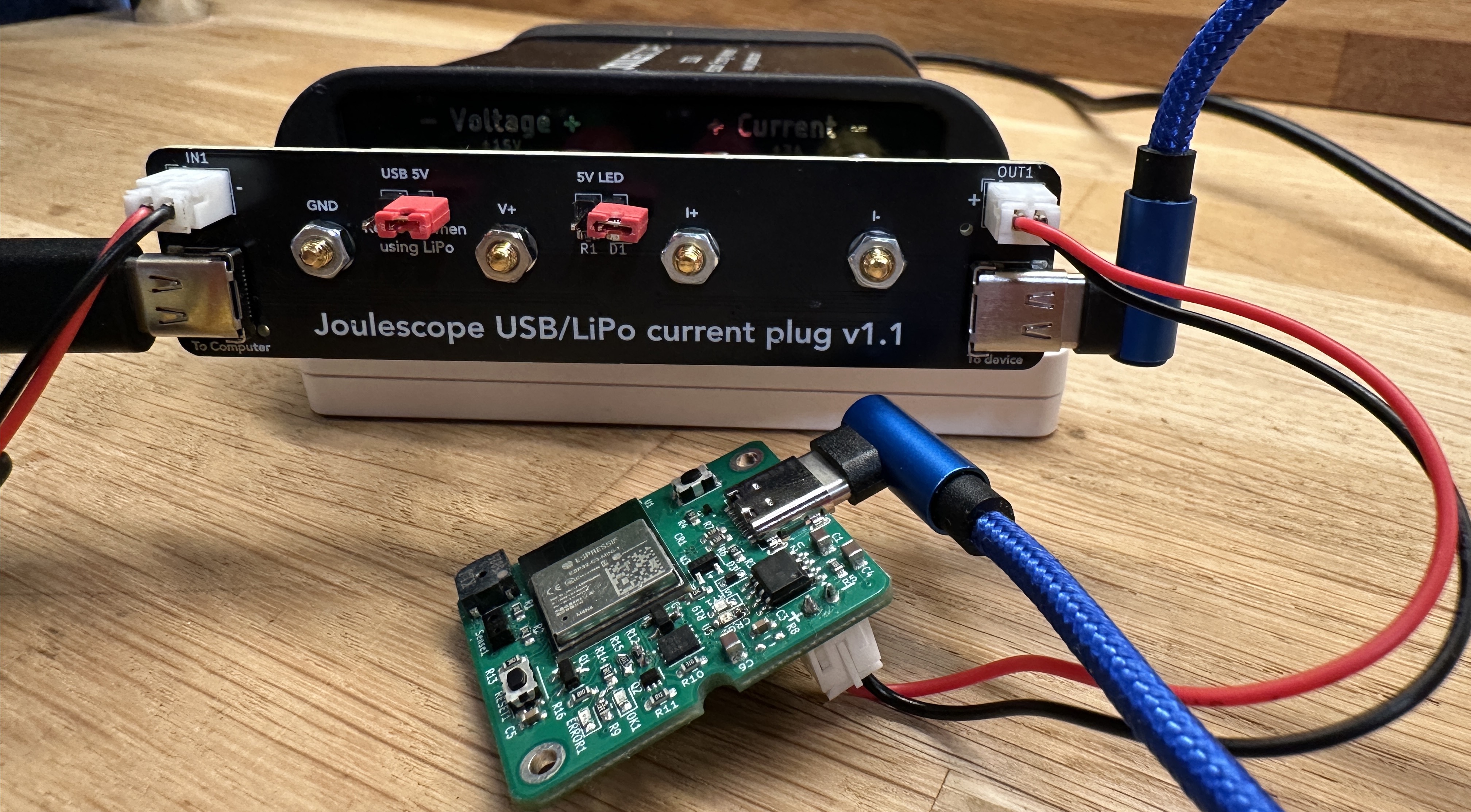
And here is a picture of the finished board, measuring the battery consumption on an early version of a new product: